Wholesale prices direct from the exporter

Has Stremio replaced Kodi?
There's nothing like giving it a go...
FILMS AND TV SERIESIPTV
2 min read
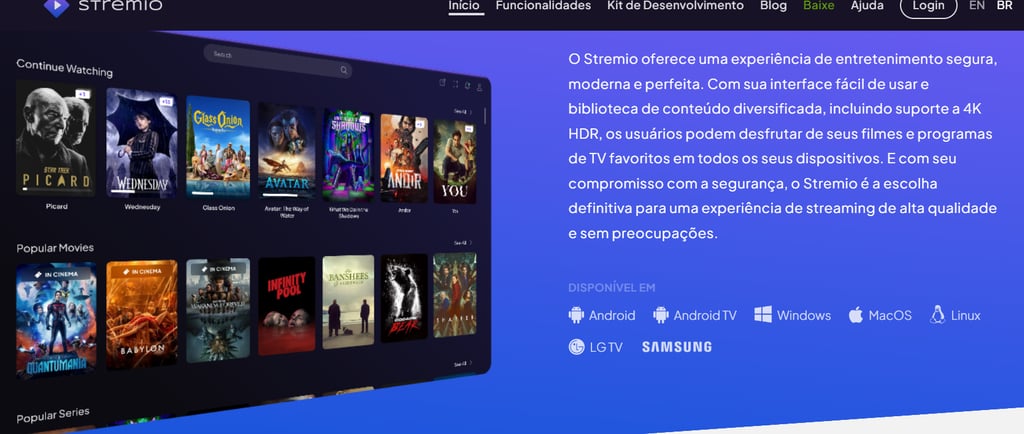
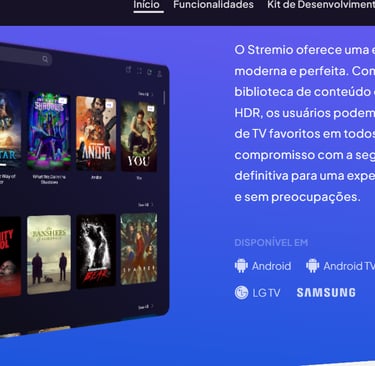
For those who aren’t familiar with it, here are a few questions and answers...
What is Stremio?
Stremio is a modern media centre that gives you the freedom to watch whatever you like.
How does it work?
Once you’ve installed Stremio on your device and created an account, all you need to do is visit the Add-ons catalogue and install any add-ons you like – and that’s it!
After that, you can head to the Discover or Dashboard sections to start exploring the content.
What can I watch here?
A wide range of films, TV programmes, web channels, sports, TV channels, podcasts and much more. Thanks to our add-on system, you can access a wide variety of content.
Is Stremio open source?
Yes, you can check out the following links: the desktop app and the GitHub organisation.
Is Stremio safe?
Yes. As it is open-source software, the code is publicly auditable and you can review it.
Stremio’s add-on system has also been designed with user security in mind. Add-ons do not execute any code locally, so they do not pose a risk to your device
What about my privacy?
We respect our users’ privacy and do not collect any personal data beyond what is strictly necessary to create and synchronise your account.
There is also a guest mode during sign-up, which does not require any data: in this mode, no requests are made to our servers. However, this comes at the expense of useful features, such as synchronising your library across devices.
Can I stream it to my TV?
Yes, we support Chromecast, and you can cast from desktop and mobile (Android) apps.
Can Stremio be extended beyond what’s in the Add-ons catalogue?
Yes, you should check out these: PimpMyStremio, Reddit communities, Stremio Downloader, etc.
Which devices does Stremio support?
We have desktop apps for Windows, Mac and Linux. We also have dedicated apps for Android mobile devices and Android TV. For iOS and iPadOS, we recommend using Stremio Web, although it offers a more limited range of features.
Can you add specific content to Stremio?
Sorry, but we don’t provide content ourselves; however, the more Stremio add-ons you install, the more content you’ll be able to find.
Can Stremio play magnet links?
Yes, and it can also play standard HTTP links and torrent files (drag and drop).
Can I download a video and watch it offline?
Offline mode will be available in the future, but if you allow Stremio to cache content on your device (in the settings panel), you’ll be able to watch videos later without an internet connection.
How does Stremio fund its development work?
We occasionally display non-intrusive adverts, but we are considering switching to a donation-based model.
Should I use a VPN?
tugatvpc always recommends using a VPN when streaming via third-party apps. We recommend PureVPN for its price and reliability. It has a 100% no-logs policy (it does not store user traffic data) and holds ISO certification in the field of cyber security (click the banner below to try it out).
Final note:
There is no way to determine whether Stremio add-ons have the appropriate licences to stream the content they provide. It appears that some of these add-ons are distributing copyright-protected content with the owner’s permission. However, viewing public domain titles is legal, and users should only watch these films/programmes using these add-ons. In conclusion, the end user is responsible for all content accessed via applications such as this one.
This page includes affiliate links where tugatvpc may receive a commission at no extra cost to you. Visitors will often receive a discount thanks to special arrangements made by our supporters. If you require further information, please contact us via email at
support@tugatvpc.com